
Nothing slips.
Every follow-up gets an owner and a date, filed against the client, so nothing waits on your memory. Feed it a meeting, a voice note in the car, a contract, a whiteboard photo — then talk it all through, anywhere.
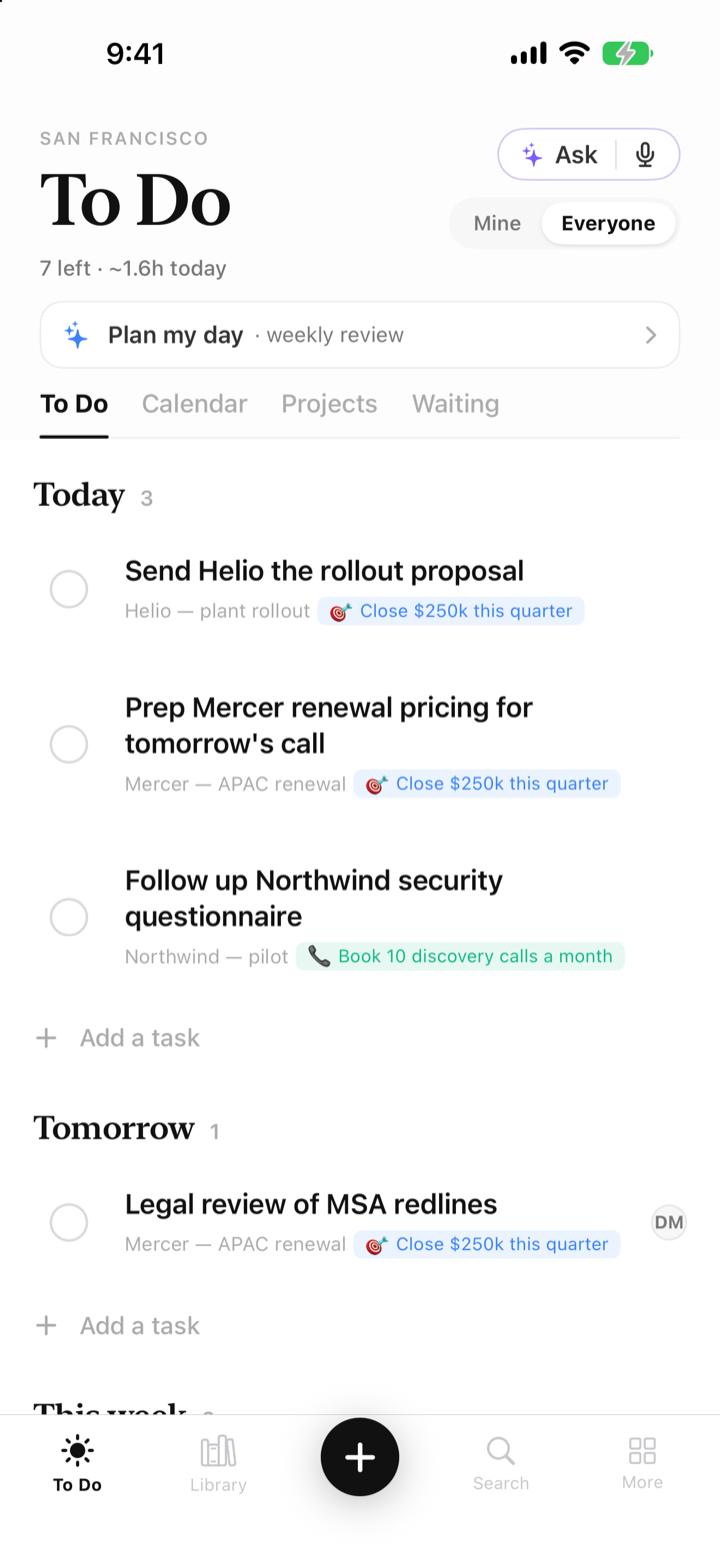
This is the app.
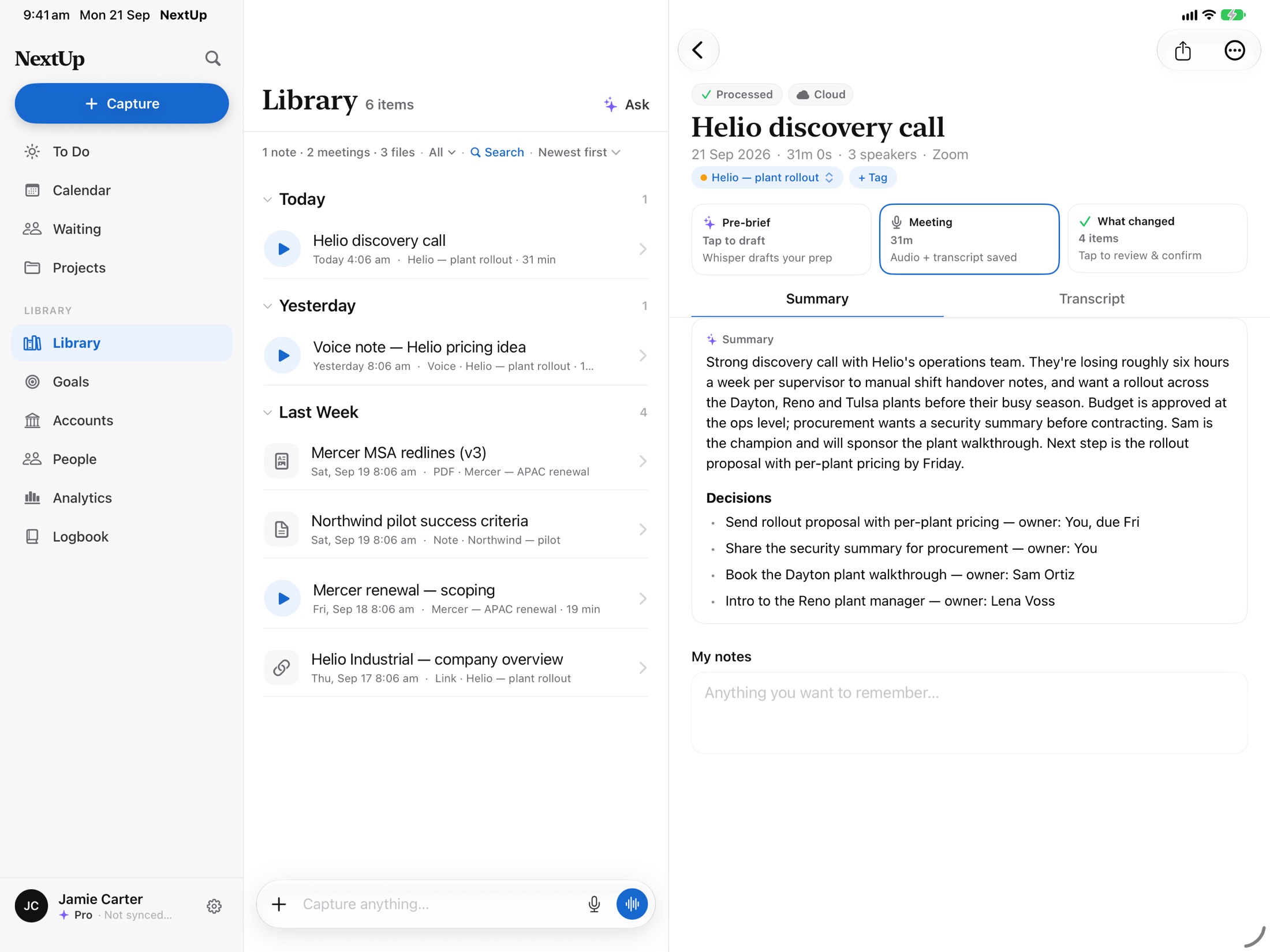
A 31-minute call reduced to decisions and owners. Capture that files itself. Whisper reading your day back to you.
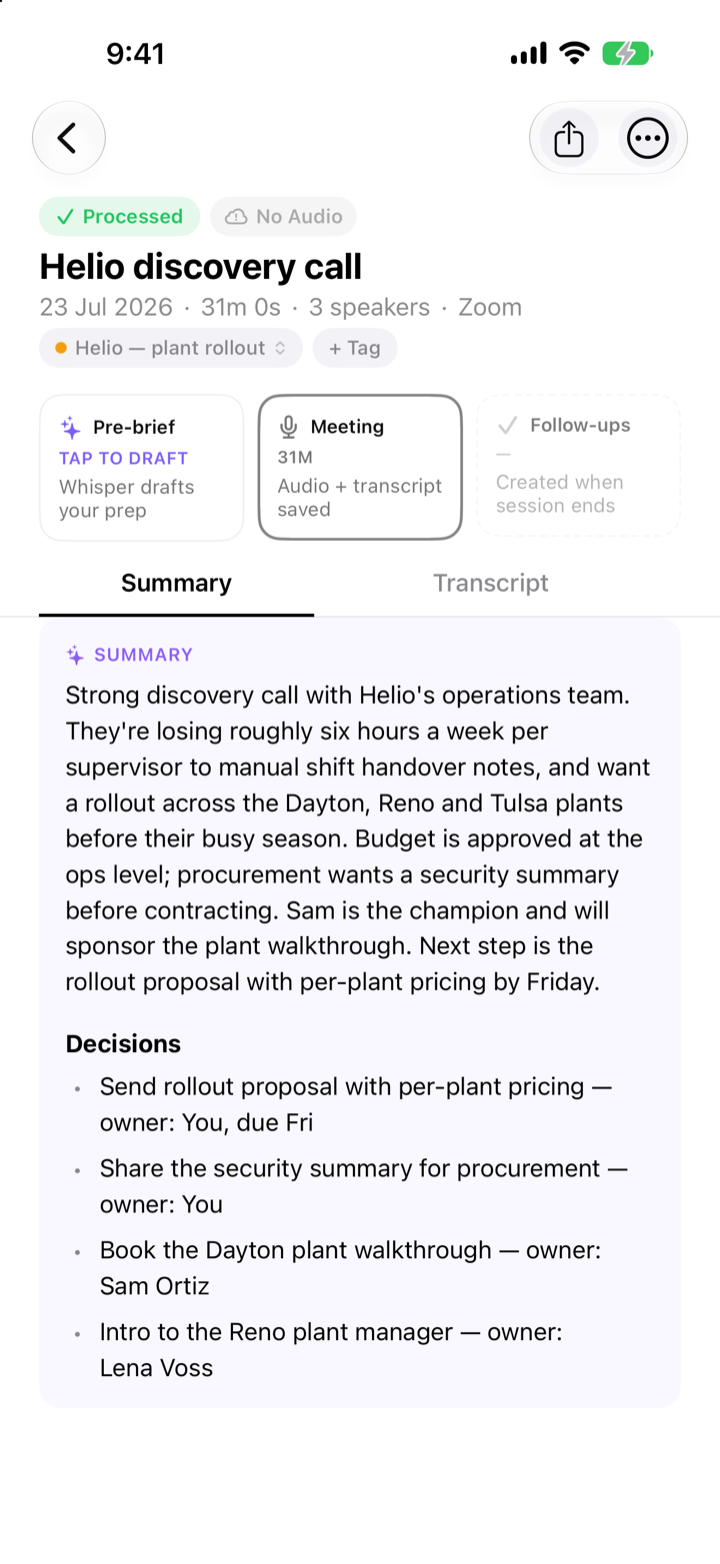
Calls end as decisions and owners
A 31-minute client call, reduced to what was decided, who owns it, and when it’s due, filed to the account before you’re back at your desk.
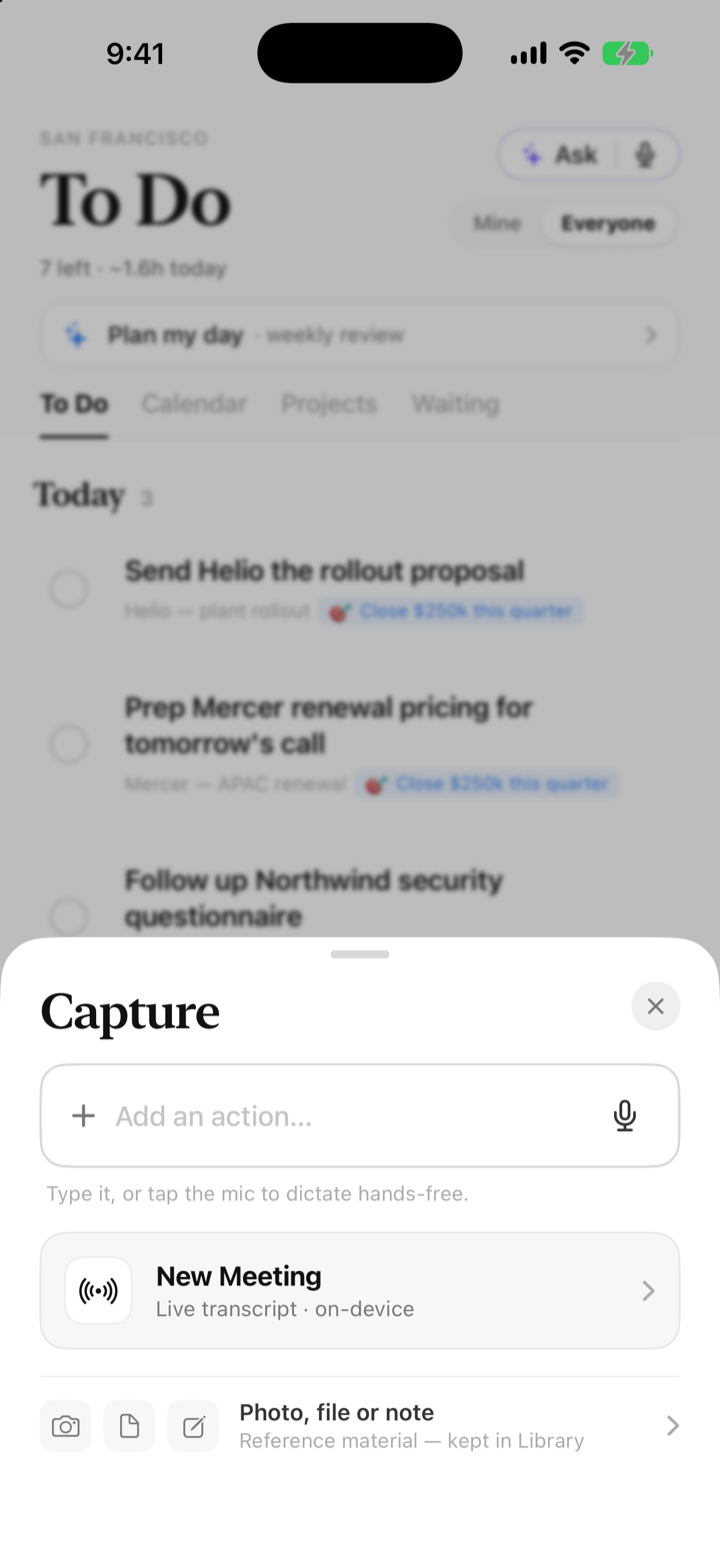
Say it or snap it. It files itself
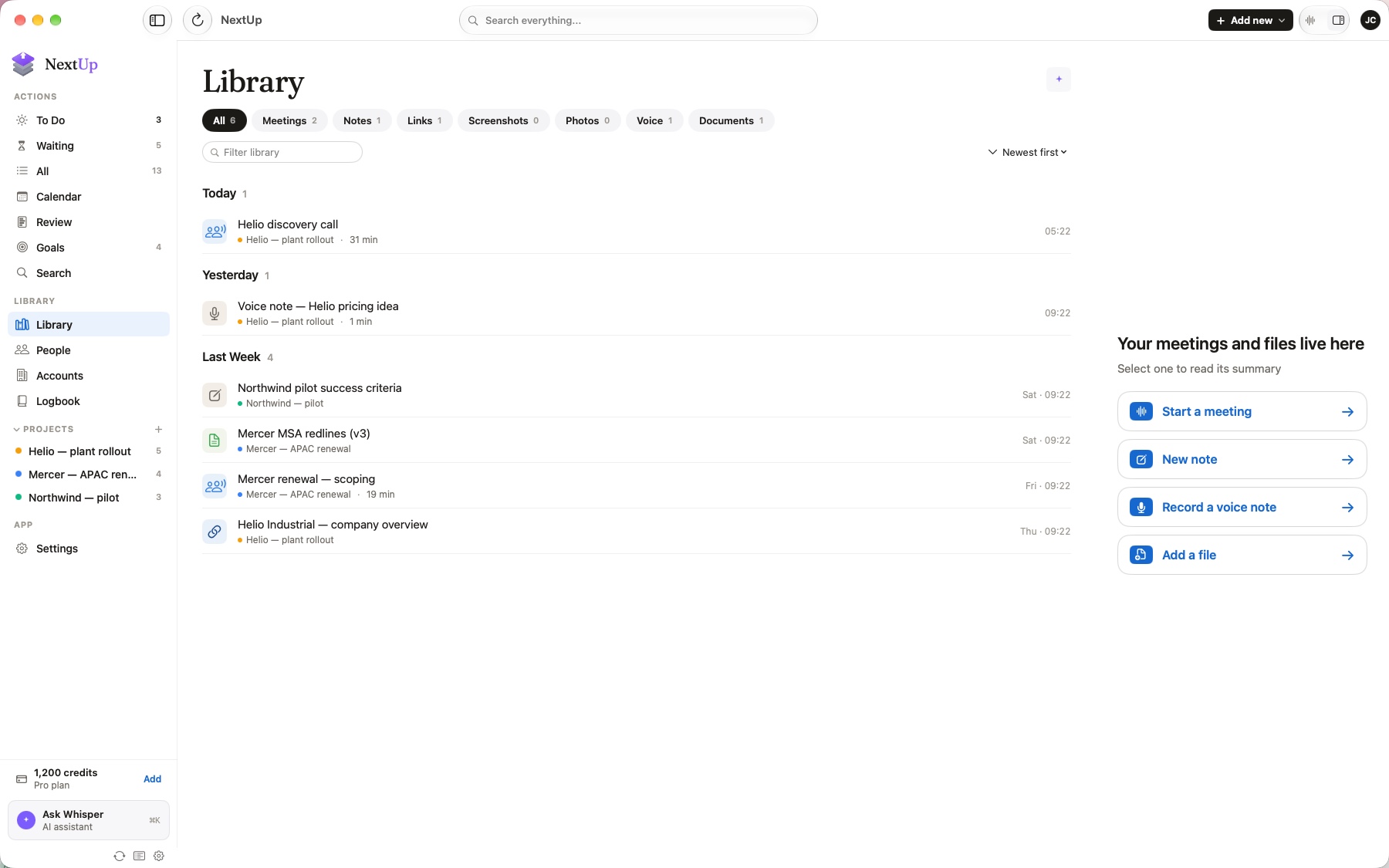
A voice note in the car, a photo of the whiteboard, a PDF, a 2am thought. One capture sheet; NextUp reads it and turns it into the next action.
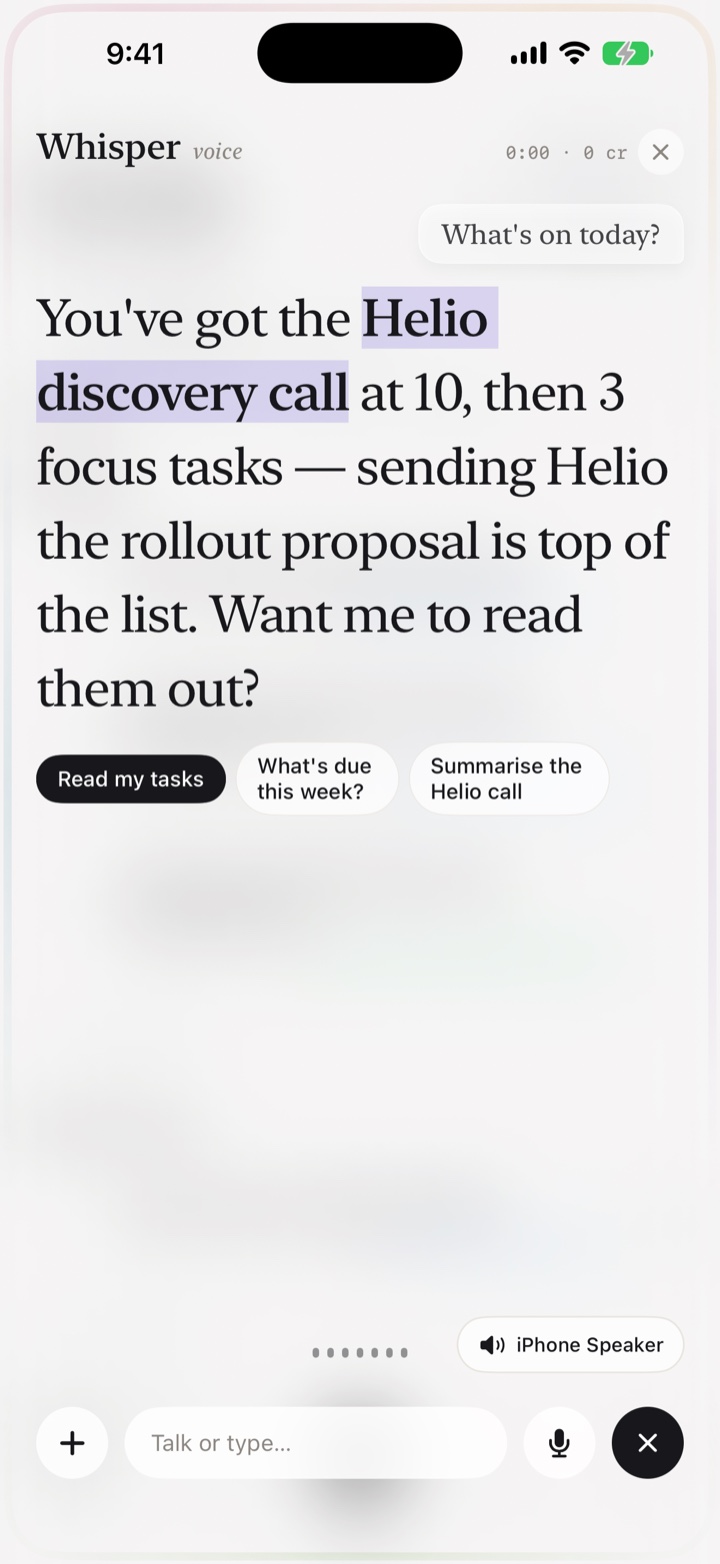
Talk it through, hands-free
Ask Whisper what’s on, work through your actions on the drive, and have it read the day back to you.
The conversation ends. The follow-ups exist.
Eyes on the room, not on your notes. NextUp records and transcribes with speaker names, then turns what was agreed into tasks: owner, date, client. Email, voice notes, photos, contracts and PDFs land the same way: understood, not just stored.
- Speaker-aware transcripts show who committed to what.
- Follow-ups arrive dated and owned, filed to the client.
- Anything else you capture, from a forwarded email to an RFP, gets the same treatment.
Illustrative example · no account data
Every client, remembered.
Calls, emails and promises file themselves to the account. Open a client and see the history, the open loops, and whose move it is.
- The timeline builds itself: meetings, threads and commitments in one place, no data entry.
- “What matters most” sums up the relationship before you walk in.
- It knows whose court the ball is in, and nudges before the thread goes cold.
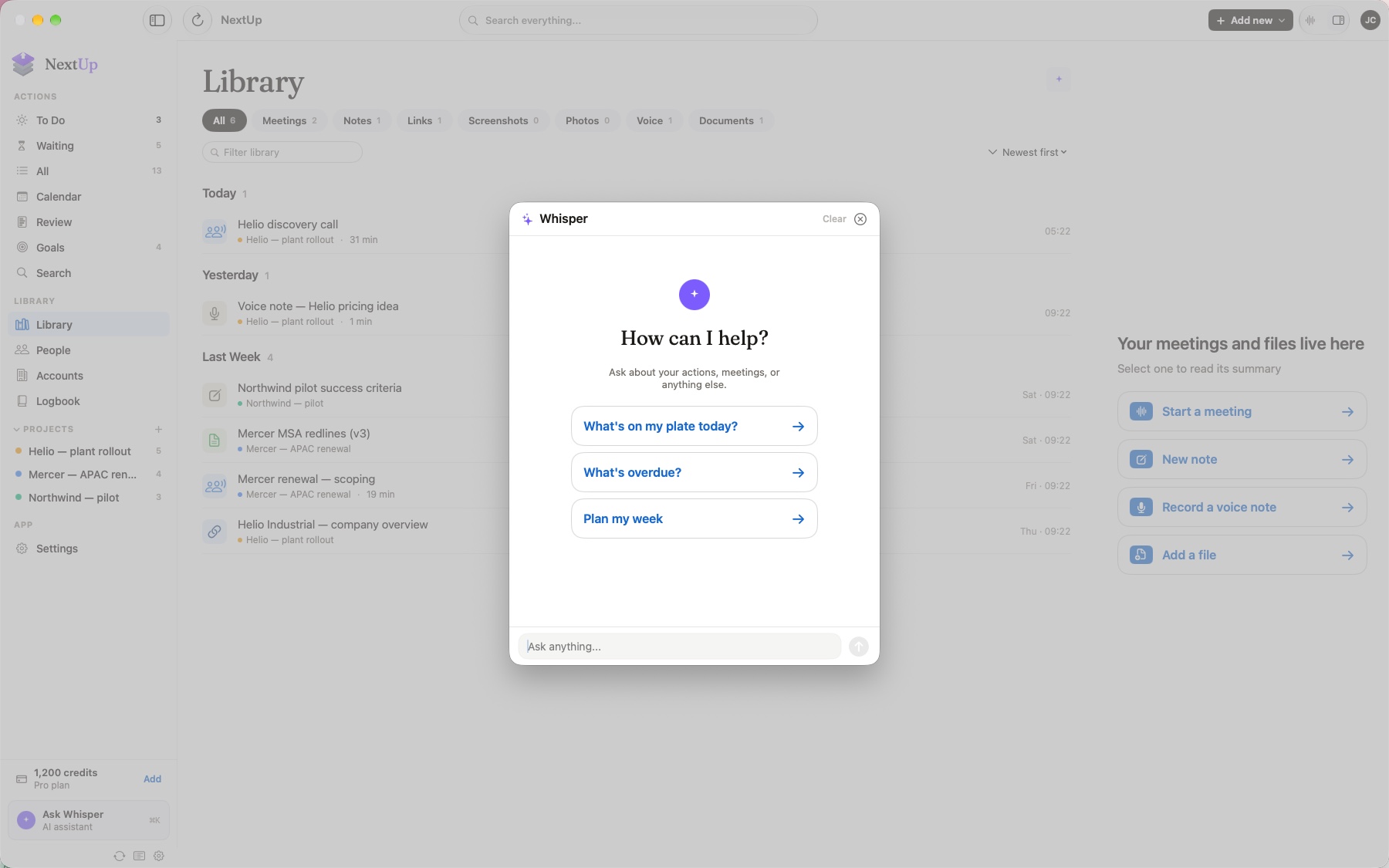
It was in the room for everything.
Whisper has heard every call, read every document and thread, and remembers every promise. Talk through your actions on the drive, ask about any file or client. It answers from your own history, then does the prep for you.
- A brief before every meeting: who they are, what was said, what to say next.
- Ask anything, like “what did Mercer say about pricing?”, by text or voice. It finds the moment.
- Follow-ups drafted, never sent. Every suggestion waits for your nod.
You'd need three apps for this.
Most people run a note-taker, a CRM and a to-do list, and still drop threads in the gaps between them. NextUp does all three in one place, so there are no gaps to drop things into.
Note-takers give you a transcript
NextUp gives you the follow-ups inside it: dated, owned, filed to the client, on your list before you're back at your desk.
CRMs wait for you to type
NextUp builds the client record from what was said on calls and sent over email. No admin nights.
To-do apps trust your memory
NextUp remembers who owes whom on every open thread, and nudges before it goes cold.
Work that runs on conversations.
Jobs where a dropped follow-up costs real money. Find yours.
Sales
Walk out of the pitch with the follow-ups already in play.
NextUp for salesLegal
Every undertaking on the record, every deadline owned.
NextUp for legalRecruiting
Candidates and clients, both moving — nothing waiting on you.
NextUp for recruitingAdvisory
A written record of every client conversation — filed itself.
NextUp for advisoryAlso built for agencies, consulting, founders.
Three things a day.
Each morning NextUp weighs your meetings, deadlines and open threads and proposes the three that move things. Underneath, a real system tracks the rest, so the three are drawn from a list you can trust.
- Swap any of the three in a tap. You stay in charge.
- Waiting-on items resurface the moment it's your move again.
- A weekly review sweeps every client so nothing quietly dies.
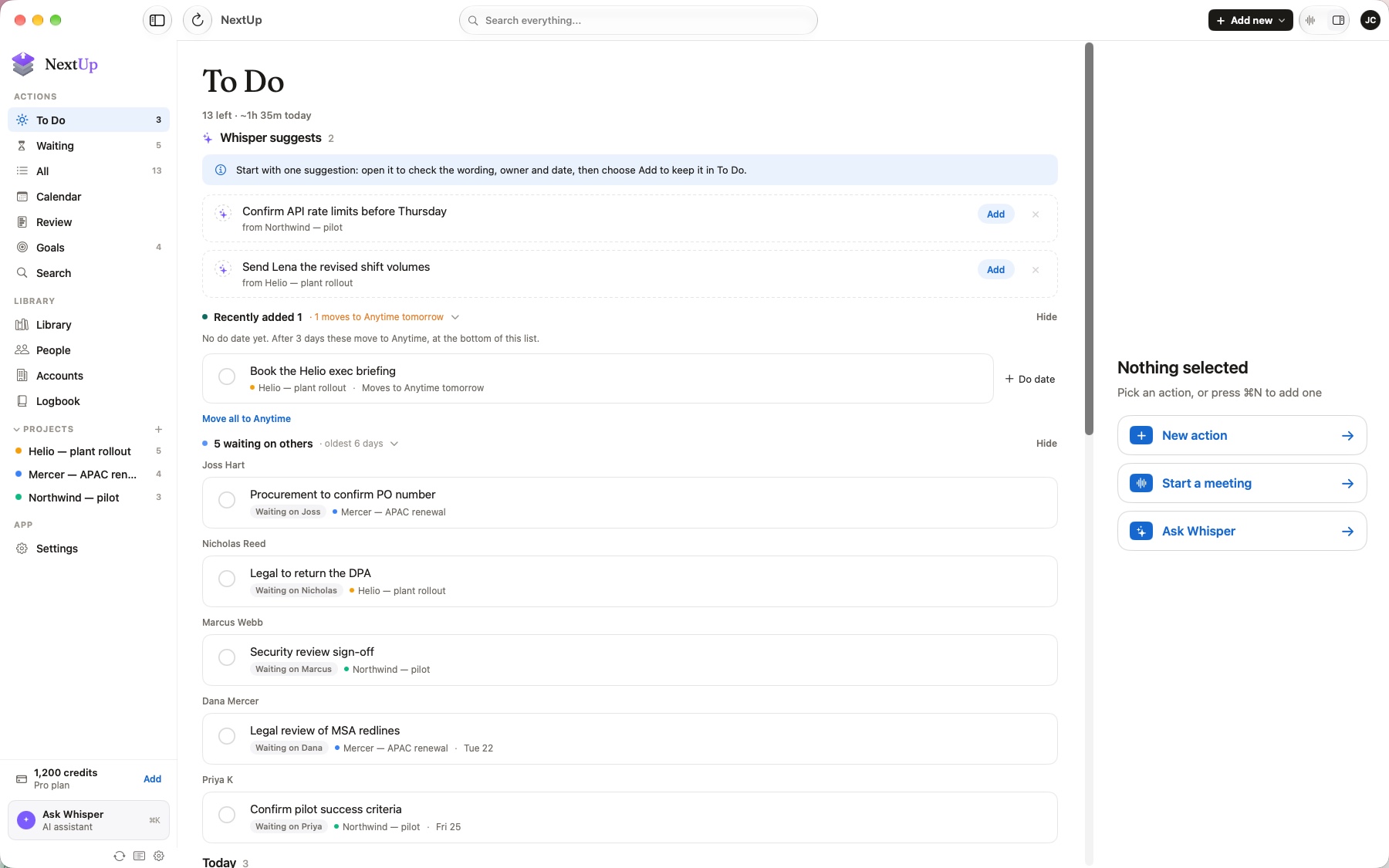
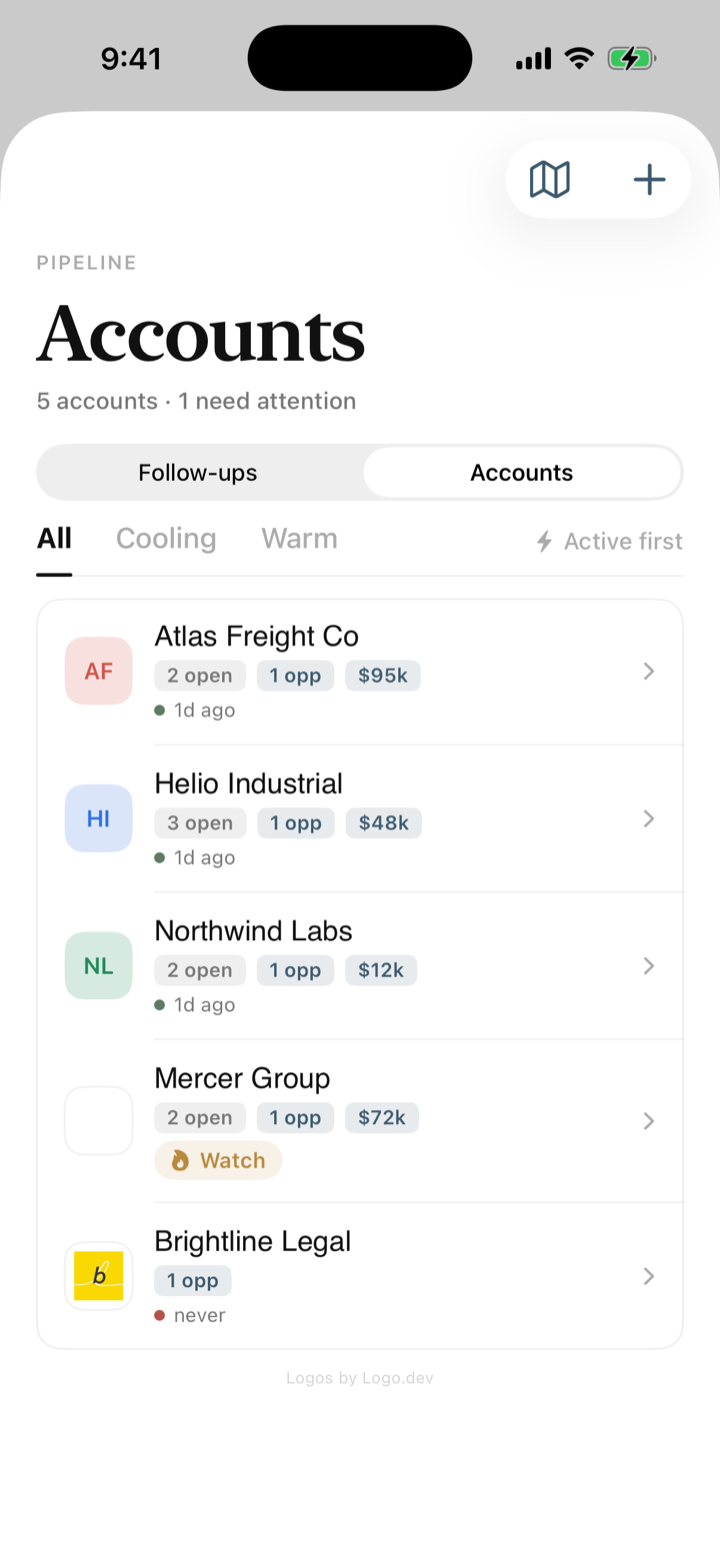
On every screen you own.
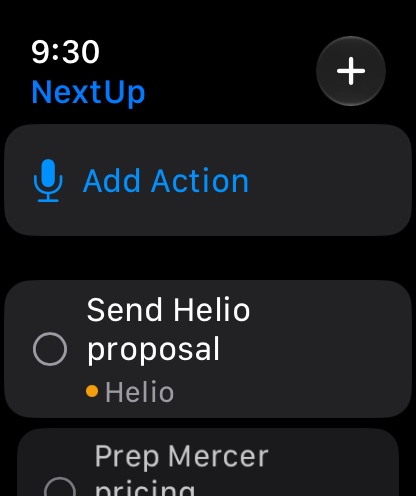
Record on iPhone, plan on Mac, check in from any browser, and glance at Today actions on your wrist. Cross-device sync is available on eligible plans.
Plugged into your tools.
Locked to you.
NextUp reaches into the places work already happens, and keeps every word of it yours alone.
And it works both ways: NextUp is an MCP server. Connect Claude, or any AI you already use, and it can search your transcripts, documents, actions and accounts, and file work back into them.
Good to know.
Who is NextUp for?
What exactly does NextUp do?
Is it recording all my meetings? Where does that go?
Will Whisper send emails or change things on its own?
Is NextUp a CRM?
Can my team use it?
What does it connect to?
How is my data kept private?
When can I get it?
How much will it cost?
Still curious? Email us at hello@nextupai.app
Tomorrow morning, already sorted.
We're opening NextUp to a small group before the November 2026 launch. Leave your details and we'll send an invite the moment your spot is ready.
Free to start · Encrypted with your own key · Delete everything, anytime
You're on the list.
We'll email you the moment your early-access invite is ready, before the November 2026 launch.
Your invite will include setup instructions for iPhone.
Requesting access does not create an account or start a trial. Web currently supports existing accounts; create your account in the iPhone, iPad or Mac app first.