
Know your clients better than anyone.
NextUp remembers every conversation, coaches you while you talk, and turns it all into insight: what they need, and what you've promised.
Remember
- Meetings, no bot
- Client emails and files
- Your Drive or SharePoint
Coach
- A brief before you meet
- Live playbook coaching
- AI voice to talk it through
Insight
- Actions with owners
- Promises, both ways
- Accounts and deals
- Shared with your team
Remember what matters. Know what's next.
Use NextUp on whatever is closest. It syncs across your devices and with your team, so everyone picks up where they left off.
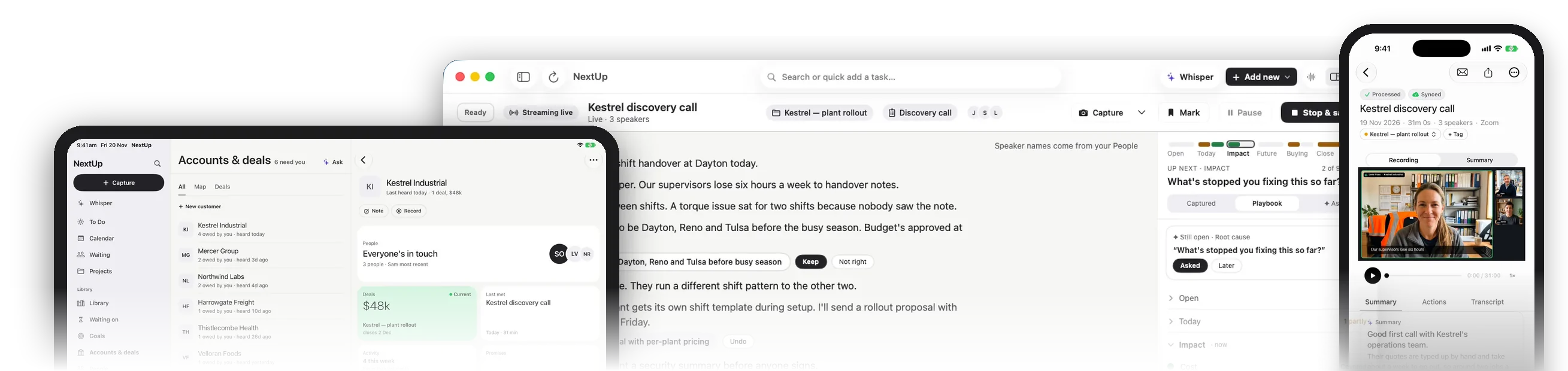
- iPhone & Watch
- iPad
- Mac
- Windows
- Web
- Claude & ChatGPT
- AI voice
- AndroidSoon
iOS and iPadOS 26 · macOS 14 · Windows 10 or later · Web app with Pro or Team
Free to start, and you don't need a card.
From every conversation to what's next.
1Inputs
2Coach
Discovery playbookLive
Suggested question
“Who else signs off on this?”3Summary & actions
Summary
Kestrel needs the rollout proposal before Sam’s budget review.4Insight
✦Kestrel is waiting on your proposal
People tell you everything. It just never lands in one place.
What a client tells you ends up spread across your work life. NextUp gathers it onto one page for each client, so you can see who you've spoken to and what you owe each other, and ask about anything they've said or sent you.
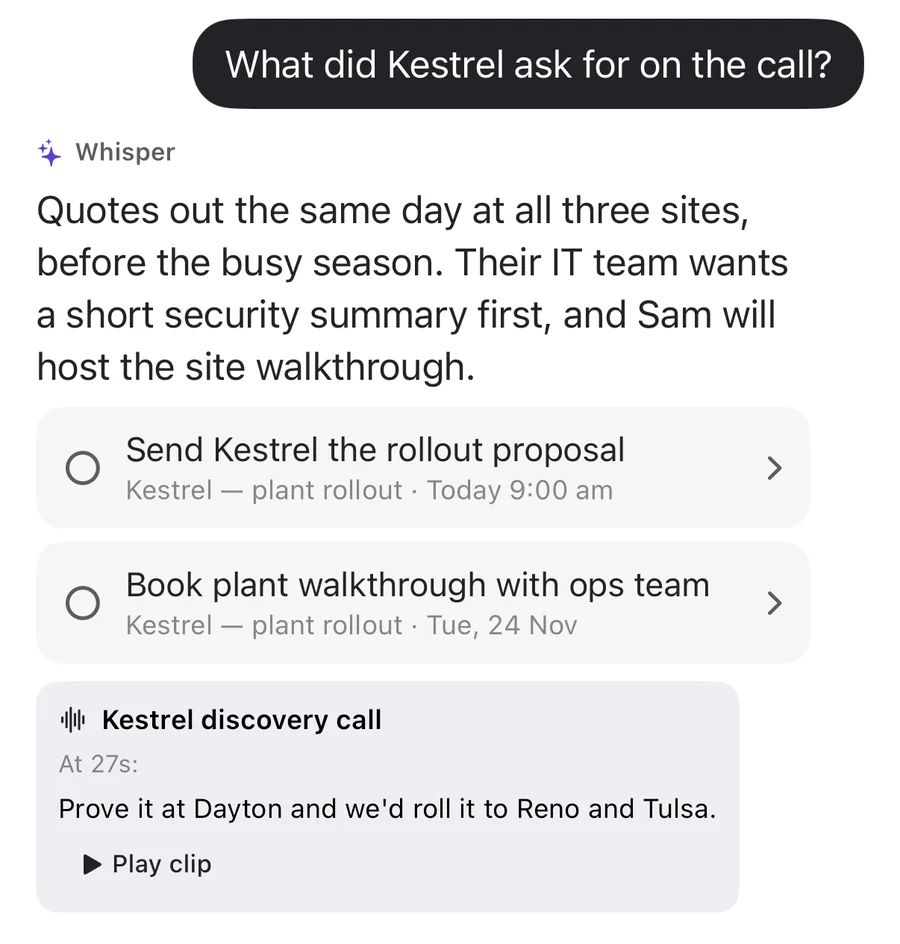
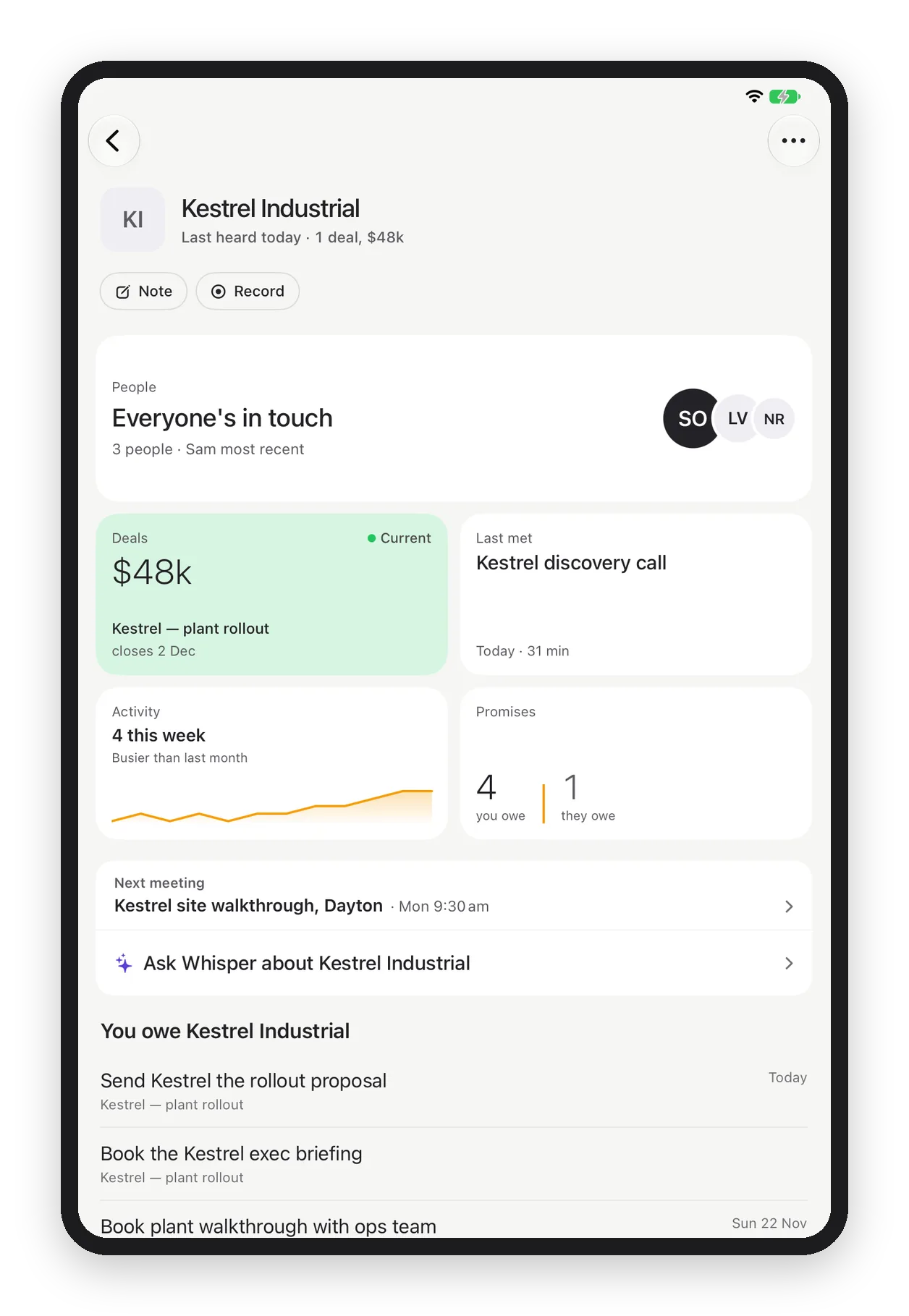
Before, during and after every client meeting.
- 1Before the meeting · Insight
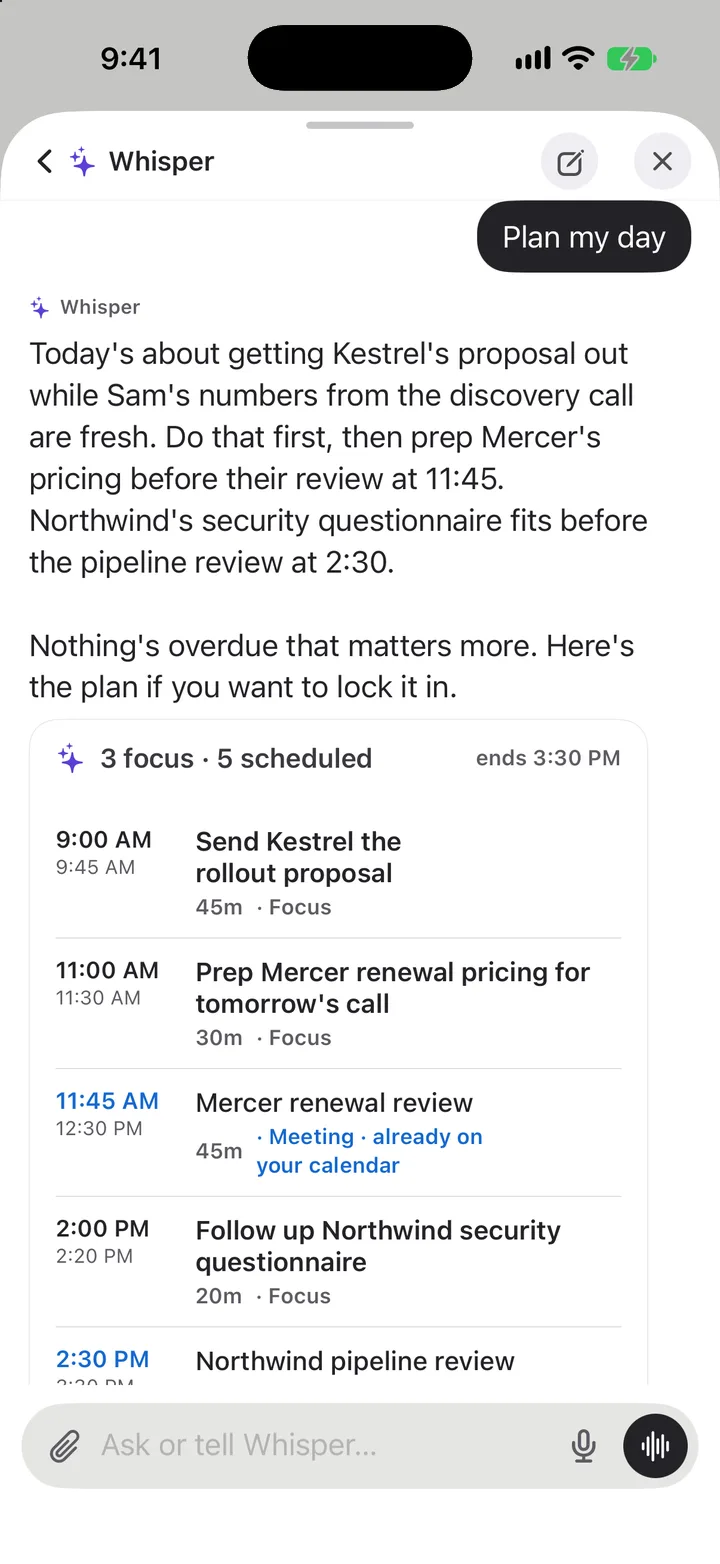
Walk in knowing what they need.
Ask NextUp to plan your day and it lines up what each client needs around your meetings. On the drive over, ask it out loud what’s still open.
- 2During the meeting · Coach
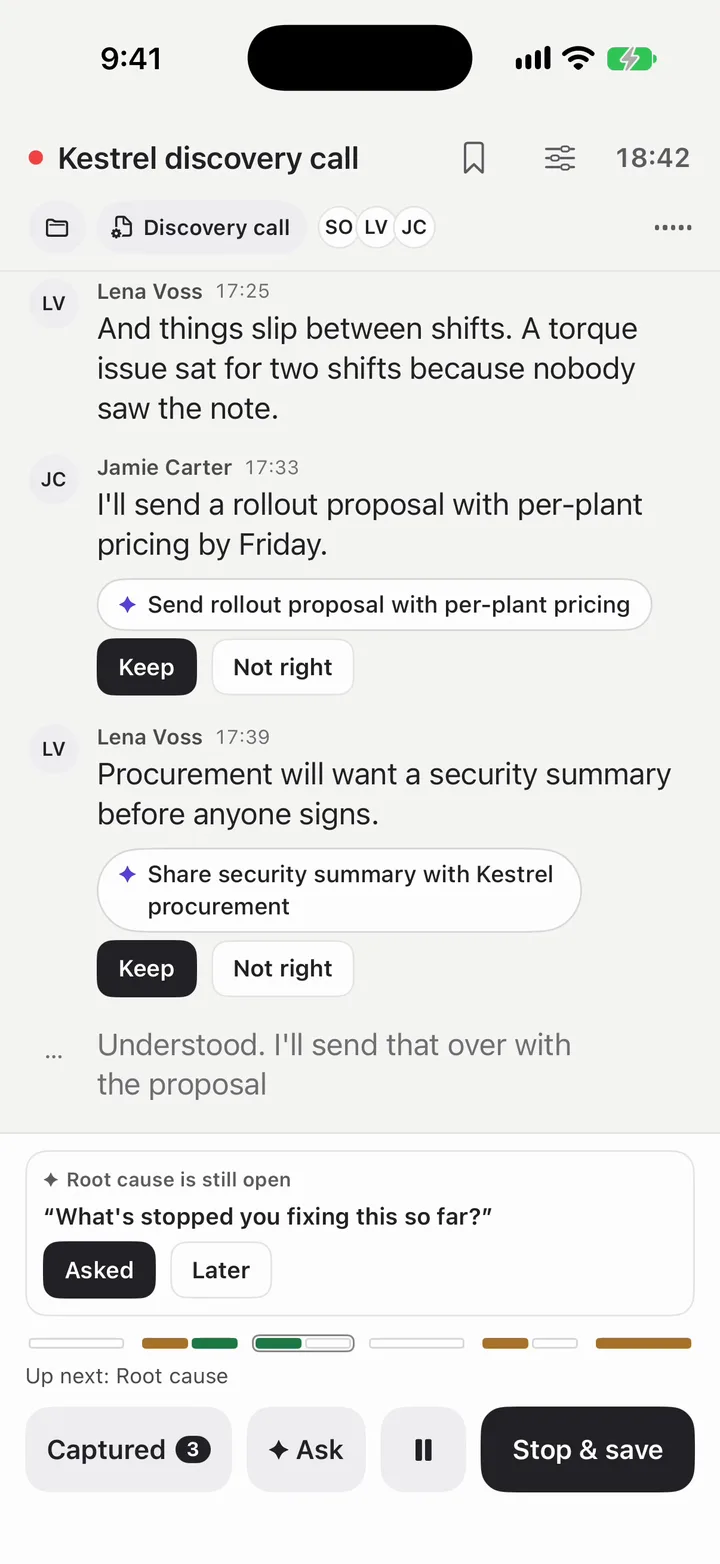
The questions you want to cover stay on screen.
It ticks off what you’ve covered and suggests a question for what you haven’t. Tasks appear as they’re said, for you to keep or drop. Only you can see any of it.
- 3After the meeting · Remember
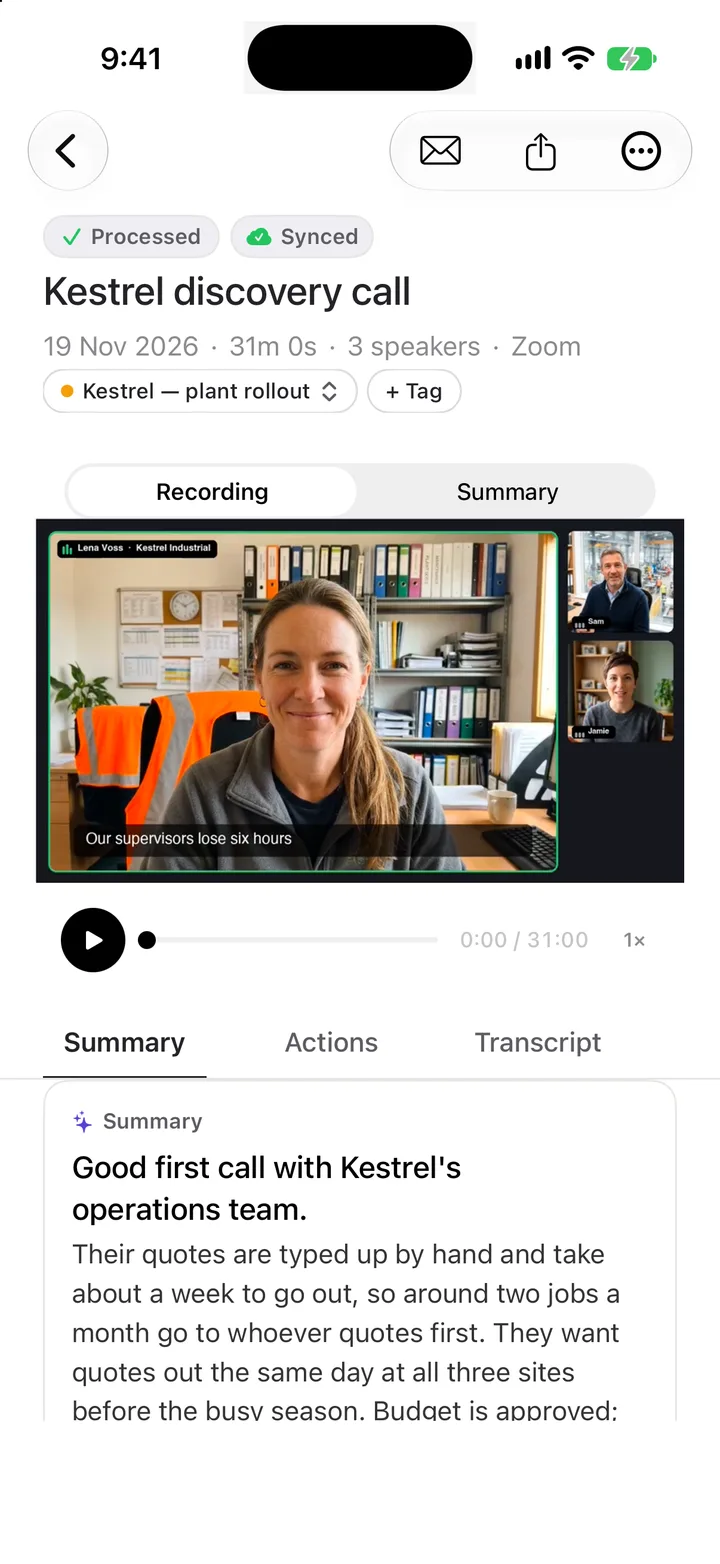
Every word kept, and what you each agreed.
You get a summary and the tasks each of you agreed to. The recording and transcript are there if you need them.
- 4On the Team plan
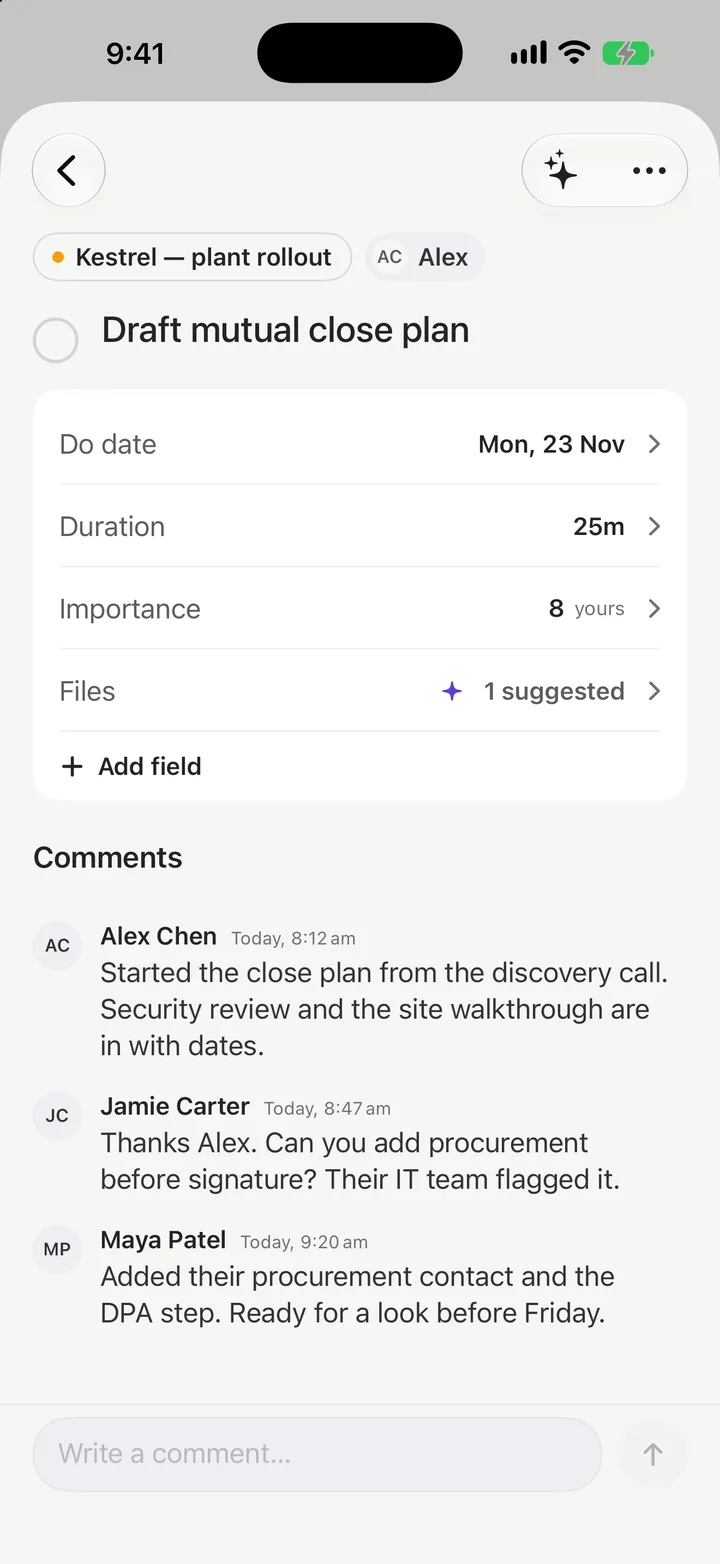
Your colleagues pick up where you left off.
The tasks from the meeting are on the client’s page for the whole team, and anyone can comment on them.
Your next meeting starts with what your team already knows.
Everyone stays in sync
When a colleague adds, finishes or hands you a task for a shared client, it shows up on your devices with their name on it.
Ask about any client
Your questions and the brief before a meeting can draw on what your colleagues heard, as well as your own meetings.
When someone leaves
Their clients and meetings stay with the firm. Anyone can still mark a meeting private.
Your firm's own drive
Recordings and documents from client meetings are saved to the firm's SharePoint or Google Drive.
US$24.99A$29.99£24.99€29.99 a seat a month, from 2 seats. More about Team · Set up a team
What clients tell you stays private.
Encrypted
Your meetings are encrypted on the way to us and while they're stored.
Not used to train AI
We don't sell what you record, and we don't use it to train AI models.
Delete it yourself
You can delete a meeting, or your whole account, from the app. You don't have to ask us.
Real people answer email
Write to hello@nextupai.app and someone who works on NextUp replies.
Free to start.
Credits pay for transcribing meetings and for the AI. The free ones top up every month, and you can buy more if you run out. You pay for Pro in the app and for Team on the web, and you can cancel any time.
- Record, transcribe, summarise
- Follow-ups with owners and dates
- A recap page for the client
- Sync on every device
- Works with Claude and ChatGPT
- Up to 5 projects
- Everything in Free
- The web app
- Unlimited projects
- Forward emails to a client’s page
- Nudges when something is owed or late
- Live help during meetings
- Share projects with other people
- Everything in Pro, for everyone
- Everyone’s client meetings and tasks, shared
- One shared list of clients and contacts
- Keep any meeting private
- One credit pool, you manage the seats
- Files in your company SharePoint or Google Drive
- Clients stay when people leave
Prices in US dollars. For Pro, the App Store shows your local price at checkout.Prices in Australian dollars. Pro is the App Store price, including GST.Prices in pounds. Pro is the App Store price, including VAT.Prices in euros. Pro is the App Store price, including VAT, and can differ slightly between countries. Team starts at 2 seats and is paid by card at my.nextupai.app. Free credits don't carry over to the next month. On Free, sync and the Claude and ChatGPT connector run while you have credits. One account covers iPhone, iPad, Mac, Windows and web. Joining a project someone else shares with you is always free. The Personal plan is closed to new subscribers; if you're on it, nothing changes.